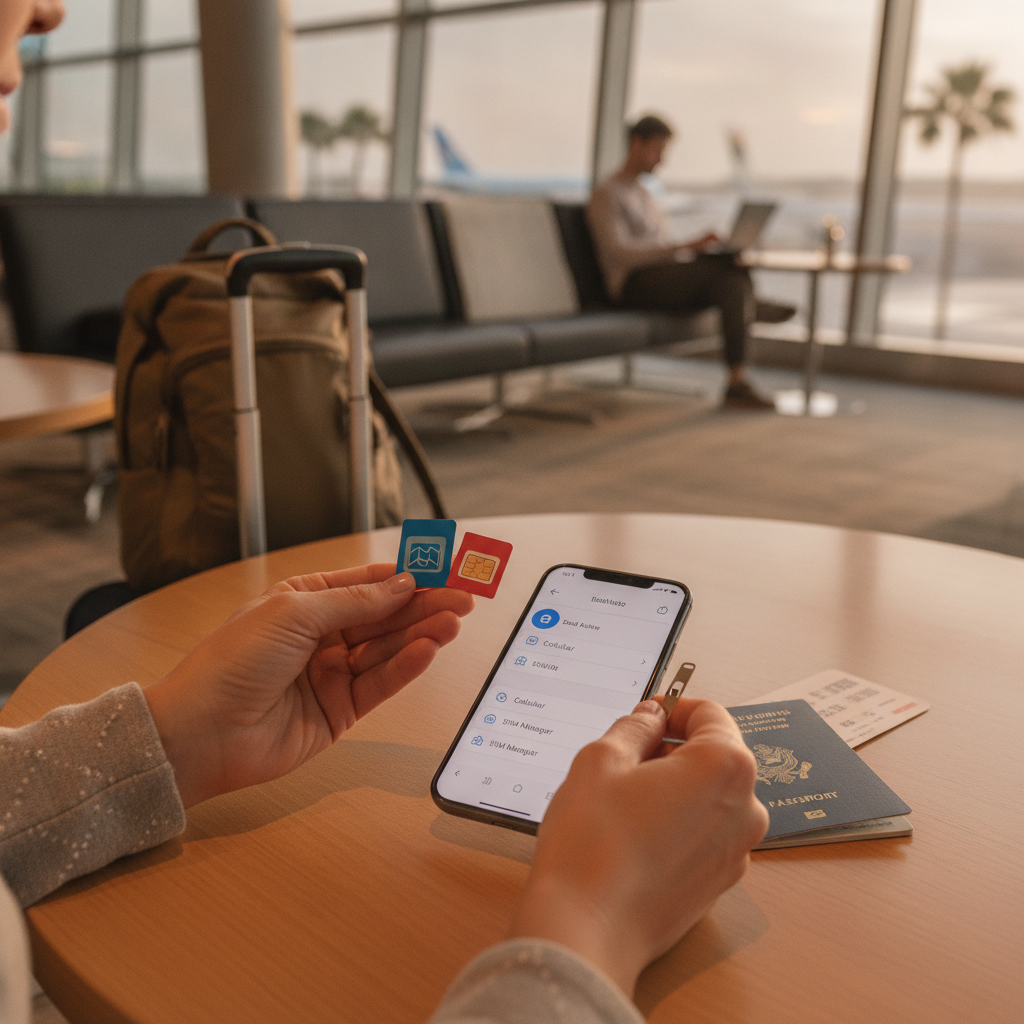
Switching to a local SIM card while traveling is one of the smartest ways to avoid sky-high roaming charges — but the moment you pop that new card in, your home number effectively goes dark. Missed calls, unreachable contacts back home, and lost two-factor authentication codes can turn a smart money move into a genuine headache. The good news is that with a little setup before you leave, you can run a local SIM abroad without sacrificing your home number or missing anything important.
Forward Your Home Number Before You Leave
Most carriers let you set up conditional call forwarding directly from your phone's settings or by dialing a short code. This routes incoming calls to another number — like a VoIP line or a travel companion's phone — whenever your home SIM isn't active. Services like Google Voice are particularly useful here because they give you a free U.S. number that accepts forwarded calls and even transcribes voicemails to text. Set this up at least a day before departure so you can test it. Once it's running, anyone who calls your regular number will still reach you through the forwarded line.
Use a Dual-SIM Phone to Run Both Numbers Simultaneously
If your phone supports dual SIM — and most flagship models from Apple and Samsung sold in 2026 do — you can keep your home SIM active alongside a local one. On iPhones, the second line is often an eSIM, which means you can purchase and install a local carrier plan digitally without physically swapping anything. Android devices frequently offer the same setup. With both lines active, incoming calls and texts hit your home number normally while you use the local SIM for data and outgoing calls. Check your phone's SIM tray and settings before traveling so you know exactly what you're working with.
Set Up a Google Voice or Similar VoIP Number as a Backup
Google Voice, Hushed, and similar VoIP apps give you a persistent number that works over Wi-Fi or mobile data, regardless of which physical SIM is in your phone. You can point your home carrier's forwarding to this number so calls still come through, even when your home SIM is inactive. These apps also let you make outgoing calls using your familiar number, which is useful when calling hotels, tour operators, or anyone abroad who you want to reach back at your home contact details. Most of these services are free or cost just a few dollars a month.
Buy Local SIM Cards at the Airport or a Carrier Store
Airport kiosks in most major international destinations — think Narita in Tokyo, Charles de Gaulle in Paris, or Changi in Singapore — stock prepaid SIMs from local carriers at reasonable prices. Buying at a proper carrier store in the city usually gets you better rates and a staff member who can activate the card correctly. Bring your passport, as most countries require ID registration for prepaid SIMs. Research the top local carriers for your destination before you go so you're not making a rushed decision in arrivals. In many countries, a week of solid data costs roughly the same as a single meal out.
Use eSIM Plans From Global Providers for Instant Setup
If your phone supports eSIM, services like Airalo, Holafly, and Nomad let you purchase a destination-specific data plan before you even board the plane. You download a QR code, scan it in your phone settings, and the plan activates the moment you land. These plans typically cover data only, so you'd still want call forwarding or a VoIP app for voice. The advantage is zero physical SIM hunting on arrival and the ability to keep your home physical SIM installed the whole time. Airalo in particular covers over 200 countries and is straightforward enough to set up in under ten minutes.
Enable Wi-Fi Calling on Your Home Line
Most major U.S. carriers — including T-Mobile, Verizon, and AT&T — support Wi-Fi calling, which lets your home number receive and make calls over any internet connection without using cellular service. If you have a dual-SIM setup or even just keep your home SIM installed without an active roaming plan, Wi-Fi calling can bridge the gap. You'll receive calls on your real number whenever you're connected to hotel Wi-Fi, a café network, or your local SIM's data. Just make sure Wi-Fi calling is enabled in your phone's settings before you travel, since some carriers require it to be turned on from home territory first.
Manage Two-Factor Authentication Before You Swap SIMs
This is the step most travelers forget until it's too late. A huge number of apps and banking services send verification codes to your phone number via SMS. If your home number goes quiet when you swap SIMs, those codes won't arrive and you can lock yourself out of accounts at the worst possible moment. Before leaving, switch critical accounts over to an authenticator app like Google Authenticator or Authy, which generates codes locally without needing a signal. Alternatively, set up backup codes for your most important accounts and store them somewhere accessible offline.
Keep a Simple Contact Card With Both Numbers
When you're running a local SIM alongside a forwarded home number, it can get confusing for the people you meet while traveling — and for yourself. Keep a short note on your phone or written down with your local number, your VoIP number, and your home number, along with which one is best for which situation. Share your local SIM number with people you meet on the road for day-to-day coordination, and share your VoIP or forwarded number with anyone back home. This small organizational step prevents a lot of confusion, especially on longer trips where you might change local SIMs more than once.
With the right combination of forwarding, eSIMs, and a VoIP backup, there's no reason using a local SIM abroad has to mean cutting yourself off from home. The setup takes maybe an hour before your trip, and once it's done, you can enjoy affordable local data without the anxiety of wondering what you're missing. Take it one step at a time — start with call forwarding and work from there.