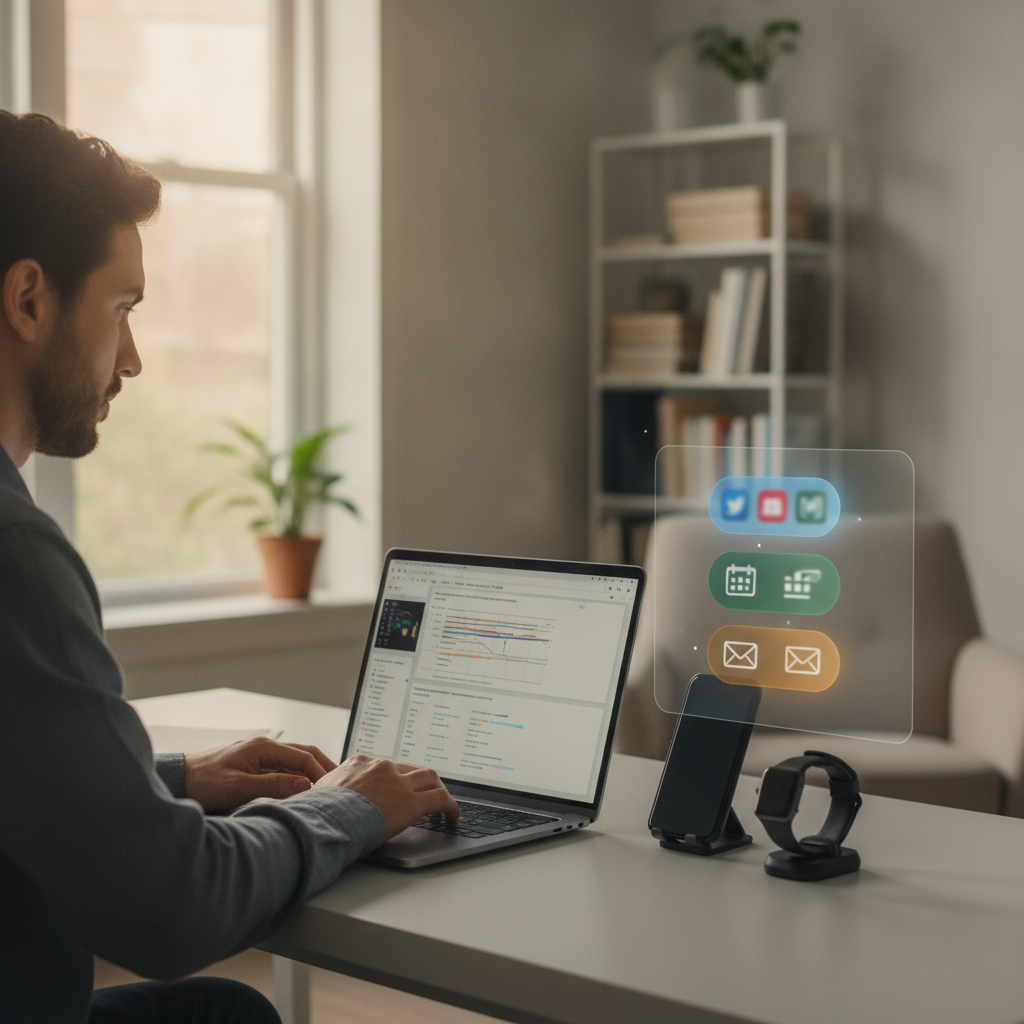
The average person picks up their phone dozens of times each day without quite meaning to. A vibration, a glow at the edge of vision, a faint chime — and the thread of thought breaks. Whatever was building in the mind, whatever problem was close to resolution, evaporates. Modern operating systems have started addressing this pattern in a structural way, and the results are quietly reshaping how people move through their working hours.
The Rise of Intelligent Notification Management
Notification batching — the practice of grouping and delaying non-urgent alerts until designated review windows — has matured significantly in recent operating system releases from both Apple and Google. What began as a simple "Do Not Disturb" toggle has evolved into a layered system that learns from user behavior, categorizes alerts by urgency, and surfaces them at moments the device determines are contextually appropriate. iOS introduced Focus modes that allow granular filtering by contact, app, and time of day. Android's adaptive notification system similarly clusters lower-priority messages into summary bundles that appear between tasks rather than during them. The philosophy underlying both approaches borrows from cognitive science: attention is not a tap that can be turned on and off instantly, and every interruption carries a recovery cost that extends well beyond the seconds the alert itself demands.
The Japanese concept of *ma* (間) — loosely translated as the productive pause between events — offers a useful cultural lens for understanding what these features are protecting. In design and music, *ma* refers to the meaningful emptiness that gives structure its power. Uninterrupted stretches of time function similarly in knowledge work: they are not voids to be filled, but conditions that allow deeper processing to occur. When operating systems batch notifications, they are, in a sense, engineering *ma* into the digital experience.
How Batching Actually Works Beneath the Surface
The mechanics of notification batching vary by platform, but the core logic is consistent. Rather than pushing every incoming signal to the foreground the instant it arrives, the operating system holds lower-priority items in a queue and delivers them as a consolidated summary. On iOS devices, this appears as a "Notification Summary" that arrives at user-defined times — once mid-morning, once mid-afternoon, once in the evening, for instance. Android handles a similar function through its notification channels system, which allows both apps and the OS itself to assign priority tiers. Microsoft Windows 11 incorporates Focus Sessions directly into its clock application, suppressing badge counts and banners during timed work intervals. The common thread is that these systems are moving away from the assumption that every notification deserves immediate attention, and toward a model where timing is treated as a design variable rather than an afterthought.
What makes this generation of features meaningfully different from earlier mute switches is the element of intelligence. Slack, for example, can distinguish between a direct message and a channel mention and route each to a different urgency tier. Calendar apps can detect that a device is in an active meeting and suppress everything except phone calls from starred contacts. The result is not silence for its own sake, but silence that is contextually calibrated — a meaningful distinction for anyone who has missed a genuinely time-sensitive message because blanket muting felt too risky.
The Productivity Argument, Grounded in How Attention Works
The research community has long established that human attention does not context-switch freely. Deep work — the kind required for writing, analysis, coding, or creative problem-solving — demands an extended build-up phase during which the prefrontal cortex engages with the problem at increasing depth. Interruptions don't simply pause this process; they reset it. Even a notification that goes unread but appears at the edge of awareness is enough to pull cognitive resources toward anticipation and away from the task at hand. This is sometimes called *attention residue*, the mental preoccupation that lingers after a distraction even when the person consciously returns to their original task.
Notification batching addresses this not by eliminating communication but by changing its rhythm. When alerts arrive in predictable clusters — at 10 a.m., at 2 p.m., at 5 p.m. — a person can structure their work around those windows rather than remaining in a state of perpetual readiness. The anxiety of potentially missing something is replaced by a reasonable expectation: everything that came in will be there at the next review. This shift from reactive to scheduled attention is what makes batching feel qualitatively different from simply silencing a phone. It reframes the relationship with incoming information from something that happens to you to something you participate in on your own terms.
What You Can Do to Make These Features Work
The features exist in most modern devices, but they require deliberate configuration to become genuinely useful. Start by mapping which apps actually warrant real-time alerts. For most people, that list is shorter than instinct suggests — perhaps phone calls, calendar reminders, and messages from a small circle of close contacts. Everything else, from social media to newsletters to most workplace chat threads, can tolerate a delay of an hour or two without meaningful consequence. On an iPhone, this means setting up a Focus profile for work hours and assigning a notification summary delivery schedule that aligns with natural breaks in your day. On an Android device, spend time in the notification settings of your most-used apps and assign priority levels with genuine intention rather than accepting defaults.
It also helps to communicate the shift to colleagues. In workplaces where instant messaging tools like Teams or Slack have created an implicit expectation of near-instant replies, batching can briefly feel like disappearing. A simple status message — "I check messages at 10, 1, and 4" — sets expectations without requiring explanation, and often prompts colleagues to adopt similar habits. The cultural shift tends to be self-reinforcing: when one person demonstrates that slower response times produce better work without meaningful communication failures, others notice.
There is something almost countercultural about choosing to receive information on a schedule in an era built around immediacy. And yet the technology enabling that choice now lives natively inside the operating systems that run nearly every device in daily use. The same platforms that once competed on the speed and volume of their notification delivery have quietly turned their engineering attention toward restraint. The person sitting at a desk in the early morning, working through a difficult problem without interruption, is no longer fighting the technology — the technology, finally, is on their side.