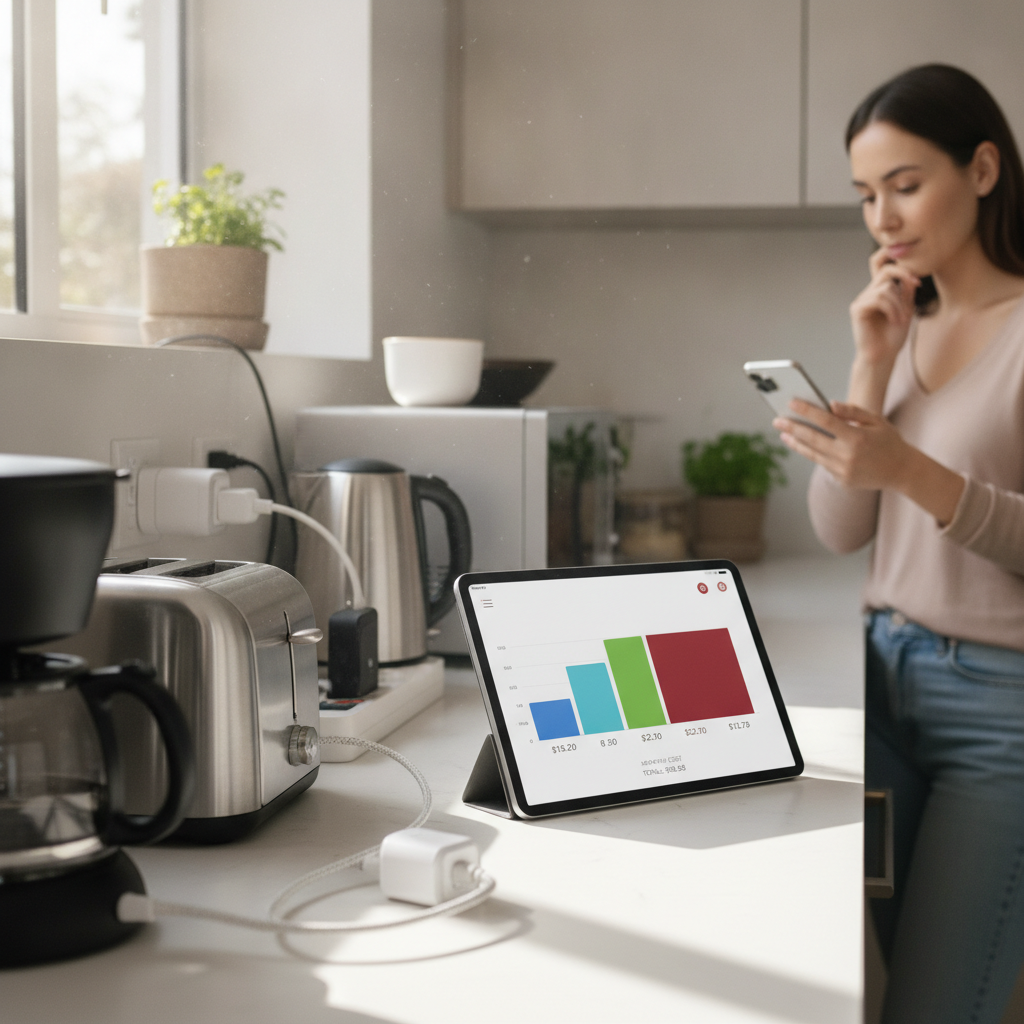
Most people have no real idea which devices in their home are quietly running up their electricity bill. You pay the monthly charge, notice it feels high, and move on — but without a clear breakdown, there's no way to know whether your old chest freezer, gaming setup, or space heater is the real culprit. Smart plugs paired with energy monitoring apps change that entirely, giving you device-level data that turns a confusing utility bill into something you can actually act on.
How Does a Smart Plug Actually Measure Energy Use?
A smart plug sits between a device and the wall outlet, measuring the electrical current flowing through it in real time. Most modern smart plugs — including popular options from Kasa, Emporia, and TP-Link — include built-in energy monitoring chips that track wattage, voltage, and cumulative kilowatt-hours. That raw data gets transmitted via Wi-Fi to a companion app on your phone. The result is a continuous log of exactly how much power each connected device consumes, broken down by hour, day, or month depending on what you want to see.
What Do Energy Monitoring Apps Do With That Data?
The app side of this setup is where raw numbers become genuinely useful information. Apps like the Kasa Energy app or Emporia's platform take the data stream from your smart plugs and translate it into cost estimates based on your local electricity rate. You can enter your rate per kilowatt-hour — usually found on your utility bill — and the app calculates a projected monthly cost for each device automatically. Some apps also flag usage anomalies, like a device that's drawing power during hours when it should be off, which can reveal phantom loads you didn't know existed.
Which Devices Should You Monitor First?
The most revealing starting point is anything that runs continuously or cycles on and off throughout the day. Refrigerators, chest freezers, dehumidifiers, and older window air conditioning units tend to surprise people because they run so often that the cumulative draw adds up fast. Space heaters are another common shock — a 1,500-watt unit running several hours a day can consume more electricity in a month than your washing machine does in a year of normal use. Start by placing smart plugs on the devices you'd least expect to be expensive, and let the data guide your next move.
How Do You Spot Phantom Loads Using This Setup?
Phantom loads — sometimes called standby power — are the watts your devices draw even when you think they're off. Televisions, game consoles, desktop computers, and audio equipment are frequent offenders. A smart plug left connected to a gaming console overnight will often show a steady low draw that, multiplied across 365 days, adds a meaningful amount to your annual bill. The monitoring app makes this visible because you can filter usage by time of day and see exactly what's consuming power at 3 a.m. when nothing should be running.
Can Smart Plugs Handle High-Power Appliances?
Standard smart plugs are rated for devices up to around 1,800 to 2,400 watts, which covers most lamps, entertainment systems, small appliances, and desktop setups. They're not appropriate for hardwired appliances like central HVAC systems, electric dryers, or ovens, which operate on dedicated 240-volt circuits. For those larger systems, whole-home energy monitors like the Sense Energy Monitor install directly into your electrical panel and use machine learning to identify individual appliances by their electrical signatures. Combining a whole-home monitor with individual smart plugs gives you coverage across both large and small devices.
How Do You Use This Data to Actually Lower Your Bill?
Once the app gives you a ranked list of your highest-consuming devices, you have a concrete starting point for making changes. An old refrigerator running well above the efficiency of a newer model becomes a straightforward replacement calculation — you can weigh the cost of the appliance against the monthly savings the data projects. For devices like space heaters or dehumidifiers, you can use the smart plug's scheduling feature to limit operating hours automatically, cutting consumption without changing your habits at all. The monitoring data removes guesswork and replaces it with specific numbers tied to specific devices.
How Does This Setup Change Over Time?
One of the quieter benefits of running smart plugs long-term is the ability to notice changes in device behavior. A refrigerator compressor that starts cycling more frequently than it used to, or a window AC unit drawing slightly more power than it did last summer, can signal that the appliance is losing efficiency or developing a problem. Energy monitoring apps that store historical data — most do, going back at least 30 days — let you compare current usage against a baseline and catch those shifts before they become bigger issues. It turns a passive energy-saving tool into something closer to a home health monitor.
What's a Realistic Starting Setup?
You don't need to outfit every outlet in your home to get useful results. Starting with four to six smart plugs placed on your most suspicious devices will give you enough data within two to three weeks to identify your top energy consumers. Kasa's EP25 and TP-Link's Tapo line are solid entry points — they're widely compatible with both Google Home and Amazon Alexa, and their companion apps provide clear cost projections without requiring a subscription. Pair them with honest entries of your local electricity rate and you'll have a practical, accurate picture of where your money is actually going each month.
Smart plugs and energy monitoring apps work best as a system rather than as standalone tools. The plug captures the data, the app makes it readable, and the combination gives you something your utility bill never could — a clear breakdown of individual device costs that you can act on directly. Whether you find one obvious culprit or a handful of smaller drains adding up together, that level of visibility tends to change the way you think about the devices running quietly in the background of your home every single day.